Blink's new look: what changed, and how to set it your way
Same screens, new colours and type, and more on each page. A few things read differently now: labels are short codes, dates and places are compact, empty columns step aside. Most of it you can change under Columns. Here are the questions we expect, answered.

In short
- Everything is where it was. Nothing to set up.
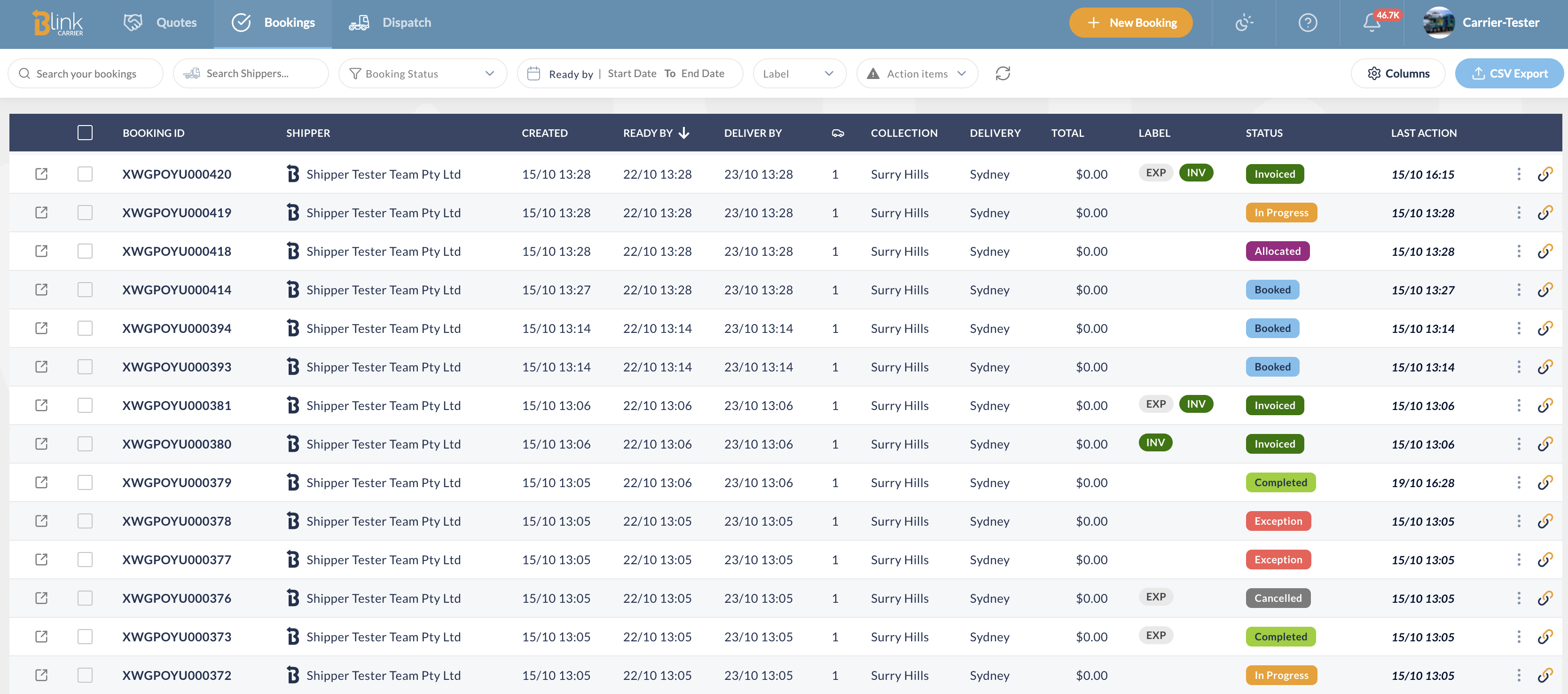
- Lists show more rows, with shorter labels, dates and places. Hover for the full text.
- The Columns button on each list is where you change any of it: full names, date formats, which columns show, row size, layout.
What changed at a glance?
- New colours and type across the app. Orange is always the main action on a page.
- Status chips look the same in lists and in filters, so a status reads the same everywhere.
- Lists are denser and striped: more rows per screen, and your eye stays on the line.
- Quotes, Items, Settings and the booking form keep their current layout for now. They are next.
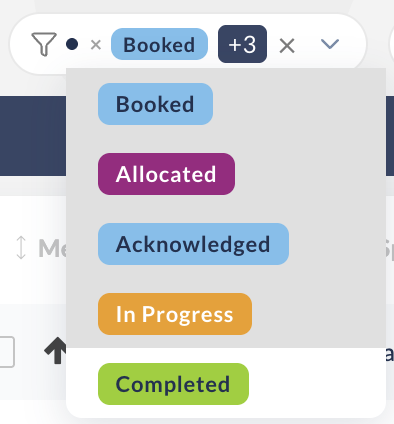 Status filter |
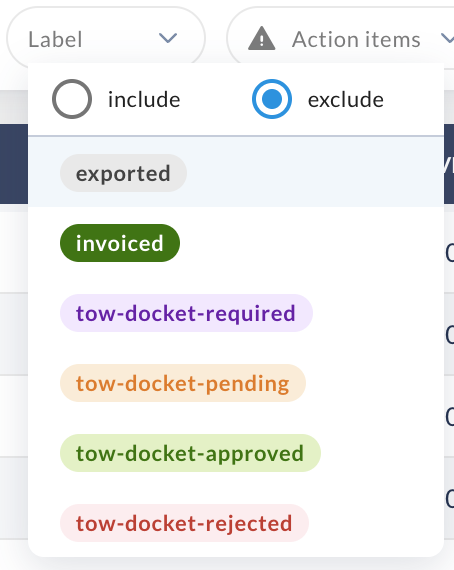 Label filter, include or exclude |
Why does my label say INV?
Labels on the bookings list now show as short codes so the column stays narrow. Hover a chip for the full name. The Blink labels have fixed codes:
| Label | Shows as |
|---|---|
| Invoiced | INV |
| Exported | EXP |
| Tow docket approved | TDA |
| Tow docket pending | TDP |
| Tow docket required | TDRQ |
| Tow docket rejected | TDRJ |
| Your own labels | The first letter of each word ("Priority Customer" → PC), or the first three letters of a single word ("Urgent" → URG) |
Prefer the full names? Columns › the Label row › Display › Full name. Apply, and the chips spell it out.
Why are dates shorter?
Dates on the lists read 09/10 02:19 by default, and the year only shows when it isn't this year. Hover a date for the full date and time. Each date column can use its own format, or set them all at once with All dates at the top of the Columns dialog:
| 09/10 02:19 | Day and time (default) |
| 09/10 | Day only |
| 02:19, 09 Oct | Time and day, written out |
| 09 Oct | Day, written out |
Why do I only see the suburb?
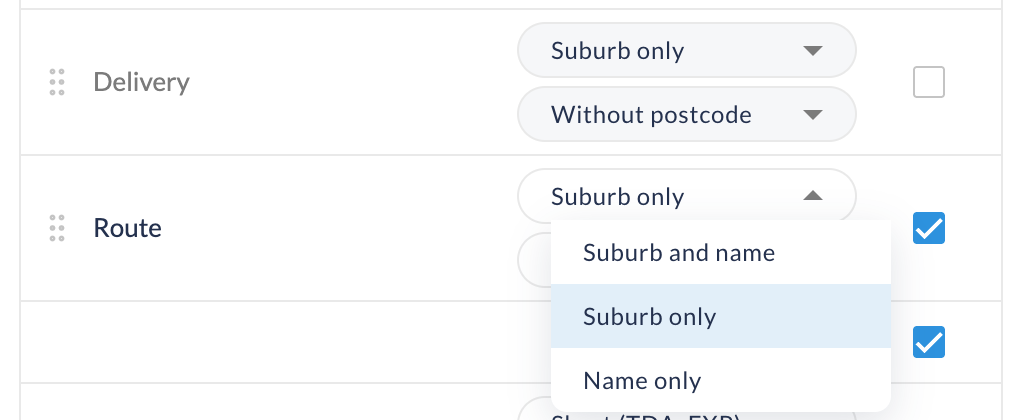
Collection and Delivery show the suburb by default, which is usually what you scan for. Hover for the full address. Under Columns, each of the two columns can show Suburb only, Suburb and name or Name only, with or without the postcode. All locations sets both at once.
Where did a column go?
- On a booking's items list, a column with nothing in it (PO number, odometer, colour…) stays hidden until an item has a value. To keep one visible anyway, set it to Always under Columns; All columns does it for every column at once.
- On the bookings list on a narrower screen, Last Action is off by default so the table fits without scrolling. Turn it on under Columns and it stays on.
- Anything else: open Columns, tick the column, and drag it to where you want it. The last visible column can't be hidden.
Why is a long booking folded?
A booking with many items shows the first and the last, so the leg details and the timeline stay in reach. Show more or Expand opens the rest. The thin stripe on the left of each item is the vehicle's colour, so you spot the blue Camry without reaching the Colour column.
Can I get bigger rows, or more room?
At the top of the Columns dialog, the Table settings:
- Layout: a floating card with margins, or full width flush under the filters.
- Density: compact rows (default) or comfortable, taller ones.
- Click on a row opens: the booking page, or the quick view over the list. The magnifier at the start of the row always does the other one.
And at the bottom of every list, pick 20, 50 or 75 rows per page with one tap.
What is the coloured bar on my legs?
On the Dispatch legs list, the bar on the left of each leg is its urgency: red is late, orange is due soon (within 2 days by default), green is on track. It counts from Ready at or Deliver by, your choice.

Change it or turn it off: Columns › Urgency bar. Pick the basis (Ready at / Deliver by) and the orange window, from 12 hours to a week. Untick the row to hide the bar. The Shipper and Item columns there also offer Truncate or Full text.
What are the green and red pills on a leg?
On a booking, each leg reads Collection → Delivery and carries its profit: a green pill when the leg makes money, red when it doesn't. Click the pill for the detail: route, run, driver, times, revenue, charges and margin.
Where are my settings kept?
On your browser, per list, for your user. They survive sign-out, but they don't follow you to another computer or browser, and a colleague on the same account has their own. Reset to default in the Columns dialog puts a list back the way it shipped.
Something looks off, or you'd like a column we haven't thought of?
Tell us. These lists are shaped by what you ask for.